
BETAVARE EML DUPLICATE REMOVER
Total Ratings: 109 - Average Rating: 4.7 out of 5A quick, simple, and accurate software that will detect and remove duplicate emails while preserving all valuable data and attachments.
- Simple and Speedy removal of duplicate EML files.
- Maintains email properties, hierarchy, metadata, and attachments of the mailbox throughout the deletion process.
- Fully independent tool and works well on its own without any internet connectivity.
- It can handle single and multiple EML and EMLX files seamlessly.
- No bars on the size of the EML file for the removal process.
- Offers a feature to remove mirrored EML files across folders or within folders.
- Compatible with Windows Live Mail, eM Client, Apple Mail, Thunderbird, and many other email clients.
- Can easily handle bulk and batch of EML files all at once.
- Set the desirable location of your unique EML file that you want.
- Supports all old and latest versions of Windows and runs smoothly.
- Delivers completely accurate results without any data corruption or loss.
- A demo version is available for every user without any charges.
- Intuitive and user-friendly interface that doesn't require any technical skills.
- 100% secure and virus-free application, preserves data and user privacy.
ITEMS MANAGED BY USING EML DUPLICATE REMOVER
This high-tech EML duplicate remover software swiftly scans through the uploaded EML and EMLX files, spots, and deletes the mirrored emails. It smartly checks each and every message and compares them by the properties, body, and header of the emails, and removes them.
All the valuable details like sender, receiver, subject, attachments, and date are kept safe with the email formation, inline images, links, signature, and fonts during the removal process. It removes the duplicates, cleans your folders, and organizes your EML file data.
All types of email attachments are supported by this application, like images, media files, archives, and documents. Throughout the removal process, this app makes sure that all unique attachments and files linked with your emails are untouched, and only the duplicate emails are deleted.
If you want to filter out items from MBOX, you can simply achieve the conversion of desired items as per your desire.
It totally depends on users which email items they want to include or exclude after getting preview of the files.
Duplicates can be eliminated either within the same folder or all of the folders at once. With EML files from various email clients, including Thunderbird, Windows Live Mail, Apple Mail, and eM Client, this tool functions smoothly.
Additionally, it preserves your original email order and folder structure. The folders will remain organized after processing, but the duplicate emails won't be slowing things down.
Support All MBOX Email Clients Platforms
 Thunderbird
 Entourage
 Apple Mail
 KMail
KMail ClawsMail
 Postbox
 Sylpheed
 SeaMonkey
Descriptive Features of the BetaVare EML Duplicate Remover
Remove Duplicates from EML/EMLX file formats
it's an advanced utility that supports all healthy EML and EMLX files. It detects and removes all the duplicates from EML files without any trouble within minutes.
You just have to make sure all the selected EML/EMLX files are healthy, and it will scan through each item and give you complete, precise results without affecting your system and data corruption.
Supports Windows
This EML duplicate removal tool can be installed on all versions of Windows, such as Windows 11, Windows 10, Windows 8.1, Windows 8, Windows 7, XP, Vista, 2008, and more.
You don't have to worry about which version you are currently using, as its wide Windows support even gives access to Windows 32-bit and Windows 64-bit versions seamlessly.
No Third-Party Tool Dependency
: For the detection and removal of mirrored data in EML files, you just need to download and launch this tool on your computer, you don't need to install any other software for the removal process at all.
This tool is capable enough to run on its own without any email client support; all your EML files are accepted without any interruption.
Load Single or Multiple EML/EML files
If you want to save you valuable time and efforts, this feature offers you to choose to upload an individual EML file or multiple EML files stored in one folder, you can select which suits you the best, and continue the process.
This tool will take the command to load the file into the software and smartly process all your EML/EMLX files at once without corrupting any files.
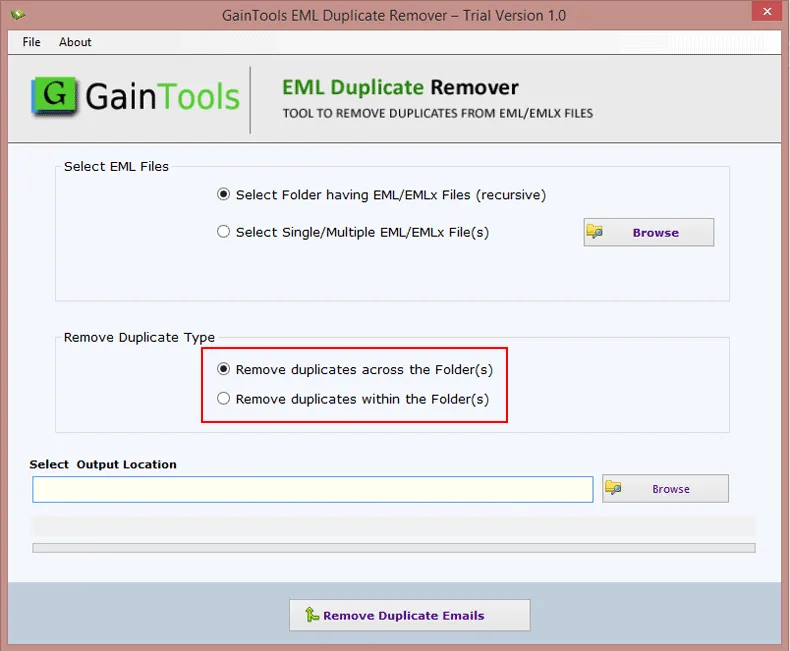
Fix Duplicates in One or All folders
This tool offers two options to remove duplicates one you can delete the content across all folders or just within the folder.
These filter options give flexibility to the users so that they can work according to their requirements, work with one specific folder, or save time and scan all folders in one go.
Widely Compatible with Email Clients
It doesn't matter which email client you use, be it Thunderbird, eM Client, Apple Mail, Windows Live Mail, or any other, this tool works smoothly with all of them without any trouble.
You just need to upload your EML files, and it will organize, import, scan, and remove the mirrored content without harming any of your original file data.
Maintains Data Integrity
During the process, your EML/EMLX file email metadata, like To, From, Subject, Date, structure, and hierarchy, is preserved.
This tool scans through each item of the uploaded EML file, detects the duplicates, and creates a unique EML file without making any changes, data loss, or corruption of the EML file, and delivers accurate results.
Preserves Attachments
If your EML file or folder contains attachments like PDFs, images, documents, etc. This application makes sure that all the attachments are untouched and safe throughout the removal process of mirrored EML files.
You will get all your attachments attached with unique EML files without any change or corruption.
No Bar for Heavy EML File
With this, you have an option to upload a heavy EML/EMLX file, no matter how huge or small your EML file is; this application is capable enough to handle all those bulky files of yours and remove duplicates.
Not just EML files, but all the attachments with your EML files are also scanned and handled by this application with ease.
Set Output location
To have complete control over this tool and the resultant file, it gives you the freedom to browse and choose a desired location where you want to store your file.
For better management and easy access, you can either create a new file or save the output file in an existing file of your choice.
Free Trial Version
The EML duplicate remover tool comes with a no-cost trial version. This trial version is packed with all the advanced features, which you can try and examine its features before investing in the full version.
It offers the removal of 10 items in the trial version. If you want more access, you can purchase the licensed version, which is a one-time investment and offers lifetime validity.
Intuitive GUI
This tool is simple and easy to use, as its user interface is modern and beginner-friendly. All its steps are self-explanatory, so even a novice can follow without any technical expertise.
This application is specially designed according to the needs of every user, so that even a normal user without any technical skills can run this tool without any hassle.
CLIENT REVIEWS
"I had 1000+ EML files with attachments in them, and removing duplicates through the manual way was a real task for me, so I tried this EML Duplicate Remover tool, and to my surprise, it deleted all the duplicates within in few minutes. This tool is definitely worth a try!"
- Maria D. Wester"I really liked its filter options; it offers you the ability to select an entire folder of EML files or a single or multiple EML files, and for Remove Duplicate types, there is also an option to remove across the folder or within a folder, which I personally feel helps in file sorting and delivers accurate results. It also comes with user user-friendly interface, which makes the process hassle-free and efficient. Loved this tool!"
- Larry M. LasalleFrequently Asked Questions
Just follow the steps mentioned below, and you will easily be able to remove the duplicate EML:
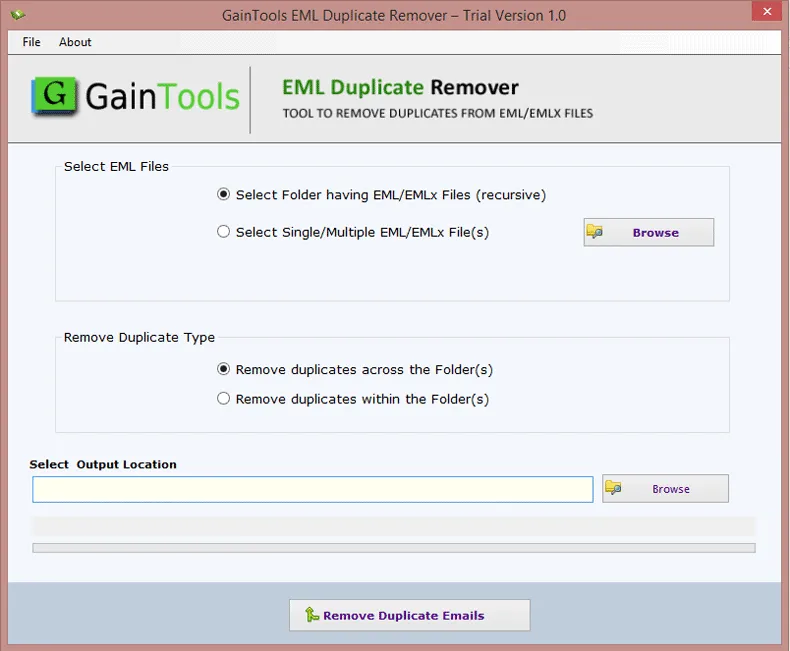
- Download and launch the tool on your computer.
- Add an EML file by selecting file or folder mode.
- Select the Remove Duplicate Type, between across the folder or within the folder.
- Browse and select a specific location for your output file that you want.
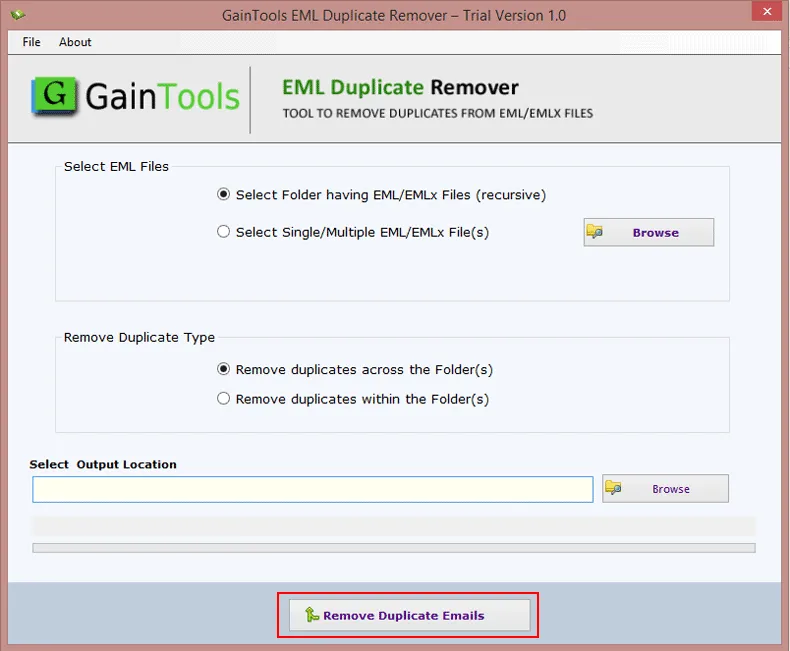
- Finally, hit the Remove Duplicate Email, and the process will be completed within minutes.
Yes, this tool is capable of handling batches and bulk of EML files at once swiftly and gives precise results.
It only works this healthy EML files, a damaged or corrupted EML file won't be accepted by this tool.
Currently, this software is only available for all versions of Windows, be it old or latest; it supports them, but it can't run on Mac OS.
You don't have to worry about the time this tool takes to finish the process, as it will only take a few minutes and will deliver you a unique EML file with all the data and attachments intact, free from all duplicates.
SOFTWARE SCREENSHOTS