
BETAVARE MBOX DUPLICATE REMOVER
Total Ratings: 134 - Average Rating: 4.8 out of 5BetaVare MBOX Duplicate Remover Clean Duplicates from Batch and Bulk of MSG Files With Just One Click.
- 100% secure and hassle-free duplicate remover.
- Smartly detects a batch of mirrored MBOX files.
- Maintains email hierarchy and folder structure.
- Completely independent software, no need to install an extra tool.
- Smartly handles all the attachments connected to MBOX.
- Compatible with both ANSI and UNICODE versions of MS Outlook.
- Eliminate duplicates from MBOX files exported from Apple Mail, Postbox, Thunderbird, Spicebird, Entourage, and Eudora.
- Swiftly perform on all versions of Windows, including Windows 11/10/8/7.
- Choose a single or multiple MBOX files for the removal process.
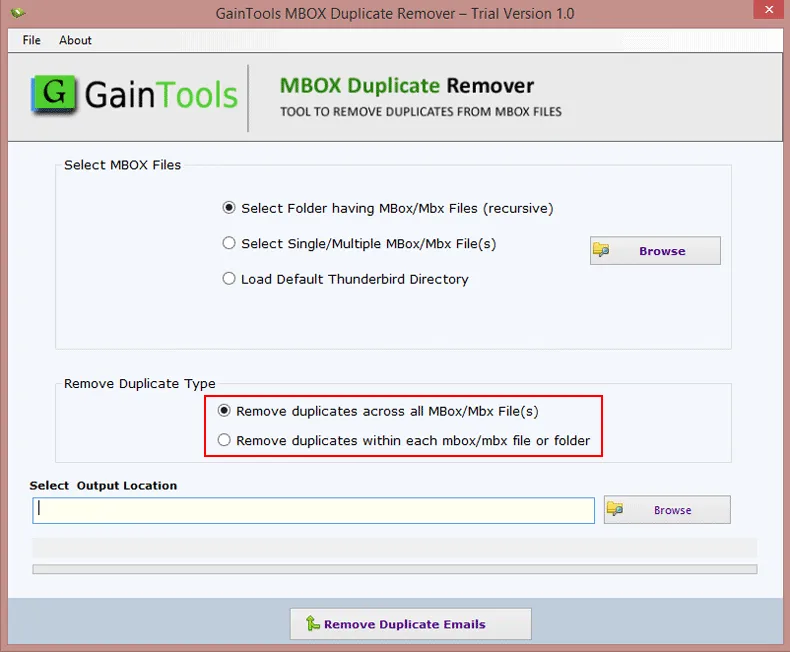
- Identify duplicates both inside a specific folder and across all folders.
- Creates a new MBOX file after removal of duplicates from the old one.
- Automatically load the MBOX data if Thunderbird is already installed in the system.
- Intuitive and modern GUI, easy to understand.
- Free trial version available, with all the advanced features pres
ITEMS TO BE MANAGED BY THE MBOX DUPLICATE REMOVER SOFTWARE
This smart MBOX Duplicate Remover tool scans through each item of the MBOX file or folder, spots and eliminates every similar content email in your MBOX folder to deliver a unique, clean new MBOX folder without any data corruption and loss.
It ensures that throughout the removal process, all the details like sender, dates, and attachments are kept safe without messing up any of the valuable data.
You don't have to worry about any of your attachments that were connected with your MBOX folder. It removes duplicate emails and preserves all the attachments as they were in the original file. You won’t be losing any of your attachments, be it photos, documents, or PDFs; you will be getting them with your fresh MBOX file.
Throughout the duplicate removal process, all your content inside the folder stays the same. The structure and the hierarchy of your inbox, drafts, or sent folder are all kept safe without any changes. This advanced tool only removes duplicates and delivers the unique MBOX file.
Support All MBOX Email Clients Platforms
 Thunderbird
 Entourage
 Apple Mail
 KMail
KMail ClawsMail
 Postbox
 Sylpheed
 SeaMonkey
SIGNIFICANT FEATURES OF THE APPLICATION
Hassle-Free and Quick Duplicate Remover
If you want a swift and trouble-free elimination of mirrored emails, then this feature smartly scans your MBOX files and removes all the duplicate emails within a few minutes without making any modifications in the original content.
Single and Multiple File Selection
Through this feature, the tool gives flexibility to work with an entire MBOX folder with a bulk of files, or you can choose an individual MBOX file for more targeted removal of duplicates for a simplified work process.
Detect Mirrored Files Within and Across Folders
To ensure accurate results, an organized mailbox, and be free from duplicates, it smartly scans and eliminates duplicates from one file and from multiple folders as well. If you select across a folder, it will filter that entire folder without any issue.
No Loss of Data Integrity
Throughout the removal process, you don't have to worry about losing all the original MBOX email data, including metadata, formatting, and attachments, as this tool ensures that safeguards and delivers them with the unique MBOX file.
Unlimited File Size Support
There are no file size limitations on the MBOX file that you want to upload, whether your MBOX file is heavy or bulky, it doesn't matter. This tool will handle it seamlessly without any lag or system crash.
Multi-Email Client Compatibility
Email clients such as Apple Mail, Thunderbird, Entourage, Postbox, and Eudora are all supported by this tool, so you don't need to worry about which source is from your MBOX file or if it will work or not. It offers versatility to remove duplicates from all popular email clients.
All-In-One Solution for Duplicate Removal
It's a standalone application that doesn't require any support from any extra tools for the elimination of duplicates. You can clean all the mirrored content from your MBOX with this tool alone, no need to install supporting email clients.
Designed for Windows OS
This tool is programmed to work on Windows and supports all versions of Windows, be it Windows 11, Windows 10, Windows 8.1, Windows 8, and Windows 7. It supports them all and runs swiftly on Windows OS.
Creates a Fresh MBOX File
You get the flexibility to store your unique MBOX file, cleared from all mirrored content, into an existing file, or you can create a new MBOX file to store your unique data, without altering the original file.
Direct Thunderbird File Loading
This tool smartly scans and loads the MBOX file from Thunderbird. If Thunderbird is already installed in your system, it will detect its presence, and you don't have to manually load the file for the duplication removal process.
Smartly Manage all the Attachments
With this app, all the attachments connected with the MBOX files are preserved, with all their structure and data intact. This tool ensures to not alter or misplace any of the attachments to maintain the email integrity.
No-Cost Demo Version Available
It comes with a free demo version in which you can try and explore all the advanced features of the tool and analyze how the scan and preview feature works, before purchasing the license version.
CLIENT REVIEWS
"I really have to appreciate the developing team for developing such a professional MBOX Duplicate Remover tool with so a simple and intuitive interface that even a beginner like me could use it without any trouble. Loved it!"
- Louis M. Williams"Filter options are a great help for real, adding filters like file or folder mode, the auto load of MBOX file from Thunderbird, and the Duplicate Removal within and across folders, really makes the process precise and cut down the process of unnecessary file selection. Great tool!"
- Andrew C. WilliamsFrequently Asked Questions
Follow these simple steps to run the software, hassle-free:
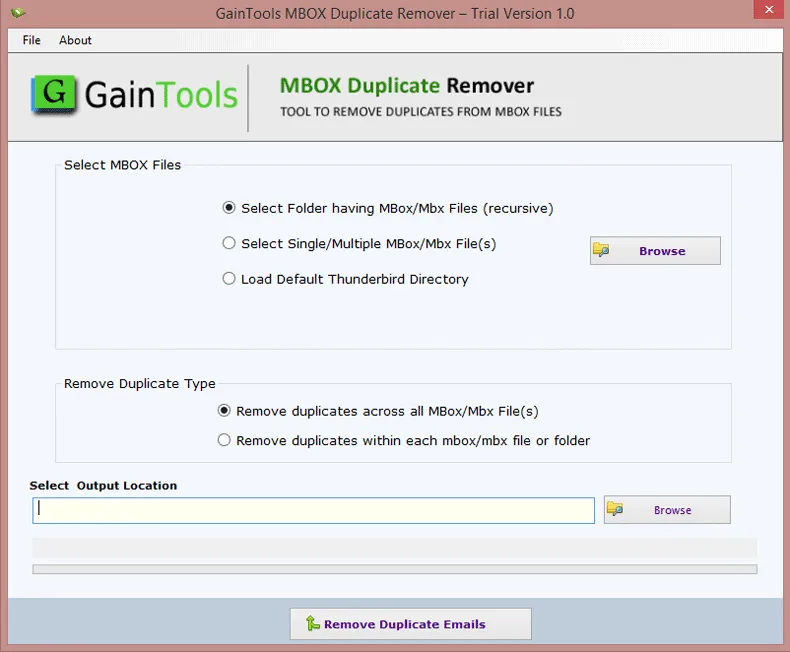
- Download and open the program on your PC.
- Browse and Select MBOX Files that you want.
- Select the filter option to Remove Duplicate Type, within or across all MBOX folders.
- Set the desired location for your resultant file.
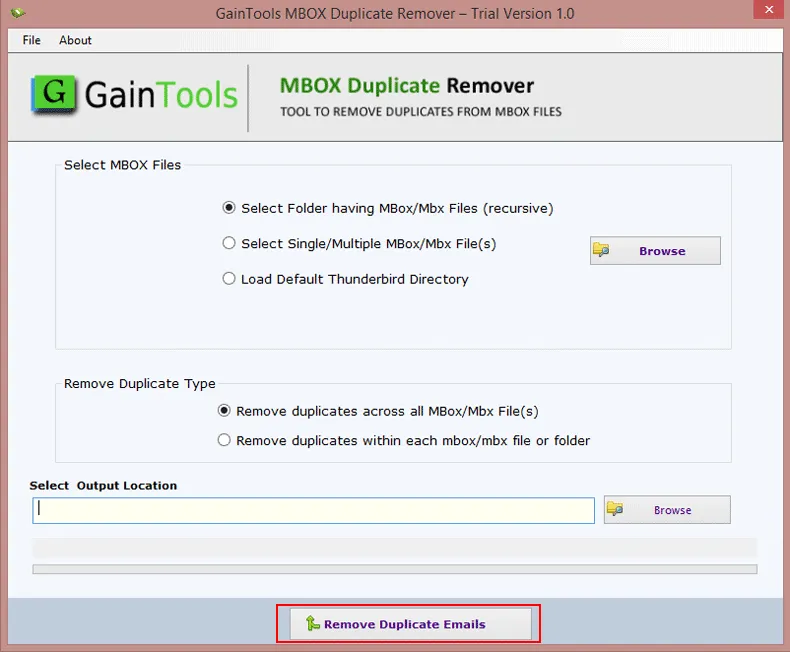
- Finally, click the Remove Duplicate Email button, and complete the removal process.
You can try all the features in the demo version; there is no limit on that, but you can only process up to 10 MBOX files in the demo version. If you want to enjoy unlimited access, I would suggest you to invest in the license version after trying the demo version.
Yes, you can without any worry. This tool is specially designed for Windows OS You can use it on all versions, no matter if it's an older or the latest one.
You can upload your Google Takeout MBOX file, as all healthy MBOX files are accepted by this application regardless of their main source.
No, there aren't any kind of limitations on the license version. You just have to make a one-time purchase, which is valid for a lifetime and free time-to-time software updates for smooth processing.
SOFTWARE SCREENSHOTS