
EXPORT MBOX TO EMLX
Total Ratings: 198 - Average Rating: 4.7 out of 5Download Export MBOX to EMLX Tool for successful migration of multiple MBOX files into EMLX format. 100% safe and secure conversion of MBOX data files to EMLX is performed by the application.
- Export MBOX emails to EMLX format
- Instant and 100% safe conversion of MBOX data to EMLX
- Migration of attachments as well
- Keeps original formatting intact after conversion
- No need to install associated email client
- Bulk migration of MBOX folders to EMLX
- Support conversion of MBOX file of various platforms
- Nominated items migration option
- Retain meta properties - to, cc, subject, date, from, etc.
- Hold original folder hierarchy
- No size restrictions, well tested on 12 GB mailbox size
- Runnable on all Windows operating system
- Save resultant EMLX file as per user choice
ITEMS TO BE EXPORTED BY MBOX TO EMLX EXPORTER
With this amazing email conversion tool, one can easily export MBOX files to EMLX format. Without any restrictions, one can easily perform conversion of Thunderbird, Spicebird, Eudora, Entourage, etc. database to EML format.
All the mail components like date, from, time, subject, to, cc, bcc, etc. are safely exported from MBOX to EMLX file format. The application performs quick and safe conversion all the time.
With email messages, the application considers attach files as well. All the images, audios, videos, etc. are completely exported without any issues.
Conversion of filtered items is possible with this application. After getting complete preview, one can easily export important items from MBOX data to EMLX file format.
At a time, one can easily migrate MBOX folders to EMLX format. There is no limit imposed on the number of files that you can migrate with this application. The tool does not disturb the original folder hierarchy meanwhile and after the conversion.
Support all MBOX Client Platforms
 Thunderbird
 Entourage
 Apple Mail
 KMail
KMail Claws Mail
 Postbox
 Sylpheed
 SeaMonkey
Characteristics in details - MBOX to EMLX Exporter
Effortless migration application
Having this third-party application has made the conversion of MBOX emails to EMLX for every technical and non-technical user. You are required to follow only 3 simple steps to achieve the conversion - adding MBOX files, preview, and choice of output location.
Without being technically trained, one can easily export emails and attachments from MBOX file into EMLX format without facing any difficulty.
Standalone export MBOX data to EMLX
You are not supposed to define an additional email client in your system. Only basic system requirements should be fulfilled to export Thunderbird emails to EMLX file format. Apart from it, any MBOX associated email client installation is not at all mandatory to complete the migration.
MBOX File to EMLX Exporter is alone enough to perform the conversion of MBOX database to EMLX file which can be easily imported to Apple Mail.
Bulk mode of conversion
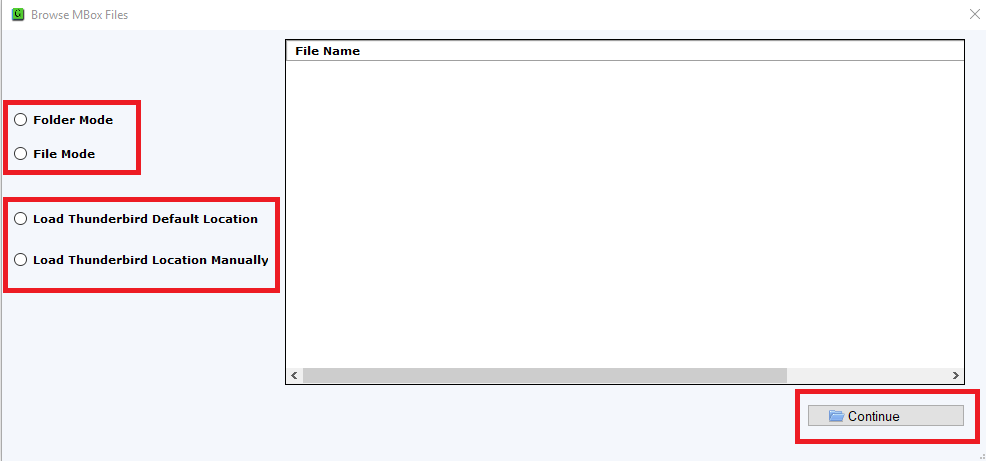
Having this smart application, you don't need to follow the same steps to export MBOX file one by one. Now, you can select Folder mode and load many MBOX files in a single attempt to export into EMLX file format.
This feature not only saves efforts and time of users but also makes it favorable among users. Bulk migration of MBOX emails with attachments is performed by the application.
Live Data Preview
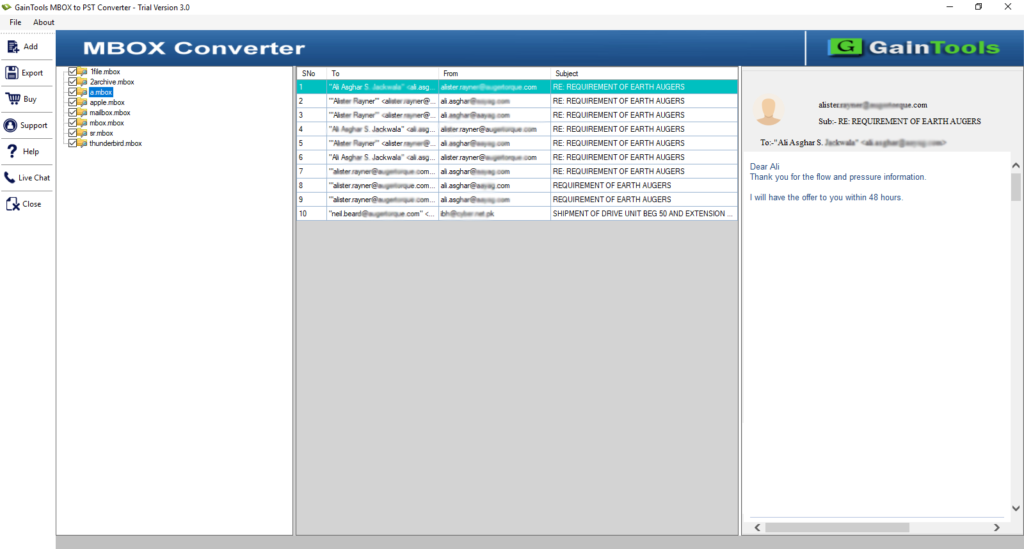
Preview is one of the best features of this application by which one can examine the database before its conversion. In the preview section, users can check every items of MBOX and then move it to export into EMLX file format.
Not only preview but before it, complete scanning of MBOX database is done by the application. Here, the software filter out only healthy MBOX files. Desired data files conversion is also possible after getting preview.
Preserve original database
The original database remains the same throughout the conversion. All the email attributes and email formatting like to, cc, bcc, from, date, time, subject, hyperlinks, inline images, font styles, etc. remain intact throughout the conversion.
Moreover, the hierarchy of MBOX folders and subfolders remains the same after the conversion. Not a single change is there to original MBOX files.
Installable on all Windows platforms
Export MBOX to EMLX Tool is designed for Windows platforms. You can effortlessly perform the conversion on all versions of Windows such as Windows XP, Vista, 7, 8, 8.1, 10, and others.
Moreover, both 64bit and 32bit versions of Windows are well supported by the program without affecting the other tasks of the system.
Large MBOX file easy conversion
Regardless of file size, one can easily export any size MBOX file. Small as well as large-sized MBOX files are easily exported to EMLX file format. Without any limits, one can effortlessly export unlimited MBOX files into EMLX file format.
The complete conversion task gets finished without leaving any error messages. 100% safe conversion is performed by the application.
Save resultant MBOX file locally
One can export desired MBOX files and can save the resultant MBOX file locally on their system. With this application, users get the option to choose the location of their choice to save MBOX file. This will help users in easy management of the files.
Additionally, the application is suitable for home as well as corporate users. A demo version is also available to make users familiar with the working and features of the software.
CLIENT REVIEWS
"Truly a brilliant application which I haven’t imagined. Its instant working performance and bulk conversion mode helped me to complete the conversion of MBOX data into EMLX format in a less time period."
- Eliseo"I found the software a straightforward way to export MBOX emails to EMLX format. 10 out of 10 to the performance. Great application."
- HaidenFrequently Asked Questions
Follow the below instruction to migrate MBOX data files to EMLX format -
- Run MBOX to EMLX Converter in your system.
- Add MBOX file or MBOX folder.
- Preview MBOX data and choose EMLX format.
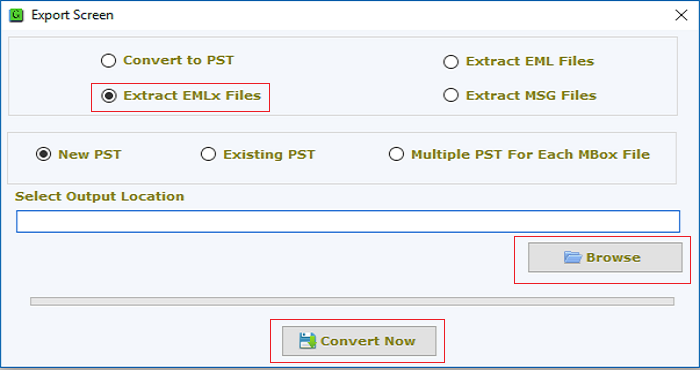
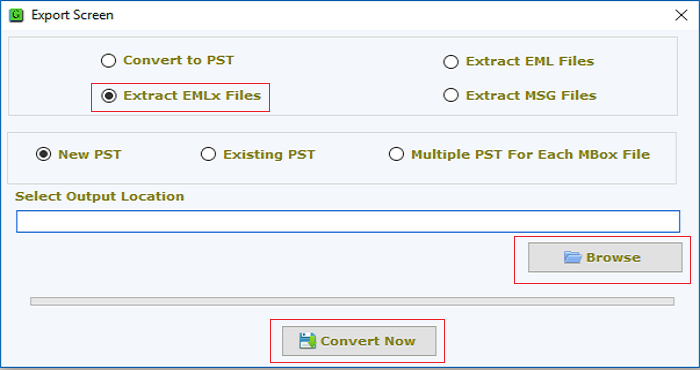
- Provide an output destination to save EMLX files.
- Press the Convert Now button.
SOFTWARE SCREENSHOTS