
BETAVARE PST PASSWORD RECOVERY TOOL
Total Ratings: 139 - Average Rating: 4.8 out of 5Tired of seeing passsowrd again and again? Get rid of them with BetaVare PST Password Remover in Outlook with just a few clicks, quickly, securely, and without any trouble.
- This tool helps users unlock their password-protected PST files
- The user can reset another password by using the reset password option
- It removes the password of both ANSI and UNICODE PST files
- It can easily recover multiple PST file data at once
- It has a capability to remove lengthy and multilingual passwords from the PST file
- The user does not need to remember the old password
- Its interface is designed in a very sophisticated manner
- It retrieves the password very quickly without any hassle
- It is capable of recovering a forgotten password; no need to remember the old password
- This application is so lightweight, it does not slow down the computer
- It can easily read large PST files (5GB, 10GB, 20GB+)
- It supports all the versions of Outlook from 2003 to 2024
- It offers a free demo version of this application
- Its technical service is available 24/7
Data Items To be Removed by Using PST Duplicate Remover
PST Password Remover instantly unlocks your locked email message without any damage. This software maintains the original formatting, metadata, HTML body, and inline images; all the data will remain the same. If you want to open any password-protected PST file, then this tool easily allows email access without altering anything.
All the email attachments, like documents, PDFs, images, signatures everything will be secure. After removing the password attachment will easily open in its original state.
The entire email folder, like Inbox, Sent, Drafts, Outbox, Deleted Items, and archive folder instantly accessible after removing the PST password.
With the filter option, users can specifically open or check emails, especially when they need to access a large PST file.
After removing the password, the tool opens all the calendar items like subject, schedule, start time, end time, and location without modifying the details.
Meeting attached business cards, signatures, files, and all the data will be accessible in their original format.
Support all calendar categories
- Tasks
- Events
- Meetings
- Appointments
Reminder alerts, which are inaccessible due to the PST lock, will be visible after removing the password.
The contacts are stored in a locked PST, including name, nickname, birthday, company details, etc All the data will be easily accessible once the password is removed.
This software safely displays the contact addresses
- Home address
- Business address
- Other custom addresses
All the items, like subject, priority, start date, due date, reminder, and status, seamlessly open after PST unlock.
- Due Date
- Subject
- Start Date
- Status
- Reminder
Attached files/documents in Tasks also remain completely safe and open normally after password removal..
The task reminder will be properly visible after unlocking the PST file.
The PST Password Remover tool easily opens the notes section in a locked PST file. Whether it is old or saved in multiple categories, everything will be instantly accessible after password removal.
All folders contained inside the PST custom folders, subfolders, and archive folders open instantly. The tool maintains the same folder structure.
Support all the MS Outlook Versions
 Outlook 2019
 Outlook 2016
 Outlook 2013
 Outlook 2010
 Outlook 2007
 Outlook 2003
 Outlook 1997
 Outlook 2000
Notable Features of the PST Duplicate Remover Tool
Forgot your PST password? This tool recovers it instantly.
When a user forgets their PST password, all the data, like emails, important data, gets locked. It is a very stressful situation, but this PST Password Remover Tool makes the whole situation very easy. It instantly recovers the password without any hassle. You just need to select the PST file and hit the recovery button, then your password will appear. User does not need to wait, no need to face technical issues, or any other complications. No matter with old or new PST data, this tool quickly pulls out the password. This tool is especially helpful for those users who have multiple PST backups saved and who don’t remember the password.
Comes with 3 recovery modes - RECOVER, RESTORE, & RESET
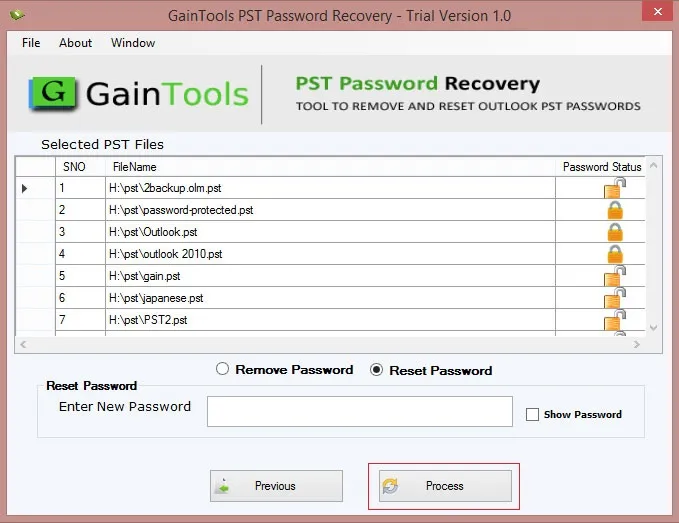
This tool provides users with three powerful recovery modes, which they can choose according to the situation. The First one is Recovery, in which the user can recover their forgotten PST password. It scans and instantly shows the password without changing anything. The second mode is Restore mode. This mode is very helpful; it restores old, partially corrupted, or not-opening-properly files and gives you passwords in a clear way. This is mostly used by many users because it is a super-quick and zero effort mode, and the third is Reset Mode, in which users can set a new password, no more struggle with the old password, and users can freshly access with the new password. All these modes are very helpful for the user in different situations.
Works even with old Outlook PST files and old passwords
One of the biggest problems is dealing with old PST files that were created years ago. Many tools fail when the file is too old or made with an earlier Outlook version. But PST Password Remover effortlessly handles old PST data. Whether your file is from Outlook 2010, 2007, 2003, or more, this tool reads without any compatibility issues. This is super helpful for users who have archived emails from old jobs, personal backups, or company records. This application doesn't matter with the old password; this tool easily works with the Old PST data.
100% safe, doesn't harm your Outlook data
During the process, all users share a primary concern that their data should not be lost or damaged. But when users use this application, users don’t have to worry because it is completely designed to be completely safe. All the data will remain the same, not even a single email inside the PST file will be missed. Its purpose is to focus only on recovering the password, like emails, contacts, calendar, attachments, and more; everything remains the same. This application follows a clean and professional process, and even the large PST data easily processed.
Read-Only Process - No Changes to Your PST File
With the Read-Only Process, all the elements of the PST file are still intact and will not be modified or altered by the tool. The software only requires access to the PST file for "reading" it to obtain the user's password. By reading the PST file, the Read-Only Process extracts the password without changing any of the PST file data. This is an essential aspect of the Read-Only Process and is the primary reason that users of PST Password Recovery can feel 100% confident in their purchase. The Read-Only Process reduces the potential for damage to the PST file due to modifications by third-party tools.
Easily Recover Encrypted PST Passwords
Most PST files are stored in corporate environments with high security. The process of unlocking an encrypted PST file with a password may seem difficult. However, with our software, you will have no issues recovering your password. We provide a way for users to access and unlock password-protected PST files without requiring complicated steps or settings. Our program is capable of decoding and retrieving passwords from secured PST files, including cases where additional security measures were implemented by the user. This is especially beneficial for businesses that must deal with employees who have left and may have secured their files, but are unable to retrieve them.
Compatible with all Outlook Versions
Because Outlook's format and the way it saves data continue to evolve, there are many different PST tools available with different compatibility levels. However, with this software, you can be assured that it will work with all versions of Outlook, including all versions from 2003 through 2010 to the latest versions (2016, 2019, and Office 365). This broad compatibility means that users who have multiple years of PSTs from multiple versions of Microsoft Outlook will have no trouble using the same tool on each version to successfully recover their data. This feature allows IT professionals to simplify their jobs and reduce the time spent searching for and managing PST files. Furthermore, this tool works consistently for backups of previous users' Outlook files or migrated files from other sources. You will never encounter a recovery issue that relates to your version of Outlook.
Simple and User-Friendly Interface
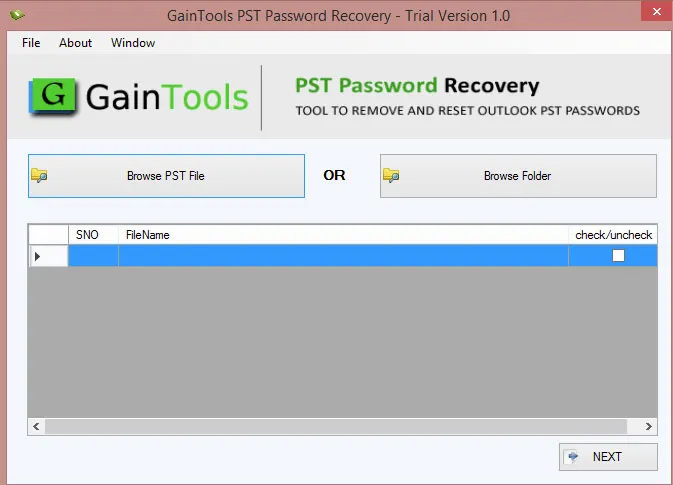
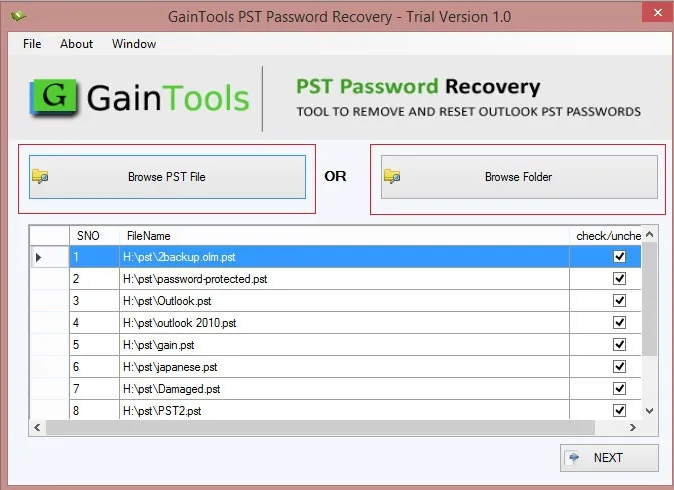
With its easy-to-use interface, this tool can be used by almost anyone. There are no complex menus or additional buttons, plus there is no need for any type of technical background. It provides you with a basic path to follow in order to get the results that you want; simply select your PST file, recover your password, and see the results. Even someone who only uses a computer occasionally will find it easy to navigate through the process. Each of the three steps is clearly written, and the overall appearance of the interface is clean, without excessive clutter. In addition, you do not have to waste time reading lengthy user manuals or watching instructional videos because the software will automatically guide you through the entire process. This makes the experience of using the software easy and enjoyable. As such, users of all types (students, office workers, home users, etc.) can expect to use it without any difficulties.
Quick Arrival of a Password
When it comes to PST files that are locked up, speed is an essential element in recovering them. An extremely fast tool has been developed specifically to restore these passwords. Simple passwords can be retrieved within seconds, while complicated passwords can still be retrieved quite efficiently, far more rapidly than most tools can do today. The ability to recover quickly makes it especially useful when time is of the essence in an office environment. Furthermore, the size of a PST file will not affect the speed at which the tool operates. With an internal engine that is designed to get the job done as efficiently as possible without freezing or lagging, you'll find that when you have a large number of PST files to recover, having a fast recovery option is very convenient. The tool operates extremely smoothly on even average computers.
Zero Technical Knowledge Needed
Many PST recovery products available today require technical training in order for the customer to perform the process. PST Recovery Tool was created specifically with the average user in mind and provides simple step-by-step processes that do not require any prior IT experience or Outlook knowledge. You simply click a couple of buttons, and the program does the rest for you by managing all of the complexities. For this reason, It's ideal for home users who only want to recover their files without having to deal with technical terms, and can use it easily, even if they aren’t very experienced with computers. Additionally, all the steps are very easy to understand and follow, so if you’re looking for a product that you can use with no prior experience or stress, this is it!
The Demo Allows You to Preview Partial Password
The demo version of the tool is a fantastic way to try before purchasing; it shows you a partial password so you'll know if it works. It creates trust through transparency by showing you how the software works during the recovery process. After you're satisfied with the operation, you can upgrade to get access to the full password. Users who want to know what to expect when they purchase will benefit; this will help prevent wasting money on software that doesn't perform as expected. The partial password gives them the confidence that upgrading to the full software will yield results.
Lightweight software won’t slow down your PC.
Many recovery tools are very heavy and slow down the computer, but this application is one of the most lightweight and smoothest tools. It does not consume so much RAM and can easily run on older PCs without creating any issues. No lag, no freezing, no system hang, quick installation, and start quickly. This tool is a big advantage for those users who work on an old system.
CLIENT REVIEWS
"I tried many applications for recovering my PST password, but the issue still could not be resolved. Then I found a blog of PST Password Remover, then I tried this application, and honestly, the Softaken result was so impressive, it recovered my whole PST password in just a few minutes."
- Richard S. Seay"Firstly, I was not sure about this application, then after using this software, I realized that this is an extremely useful tool. No doubt about its work, but even its interface is so attractive. Highly recommended application."
- Johnnie C. MossFrequently Asked Questions
Yes, it can easily recover old PST data without any issues
Recover, Restore, and Reset are the 3 modes of recovering data
No, it is not mandatory to remember the old password
No, it is capable of recovering data in bulk
Yes, it offers a free demo version to users before buying it.
SOFTWARE SCREENSHOTS